FileDownloader
Reference
- The
FileDownloadercomponent is designed to handle file downloads and previews. - It provides functionality to download files or preview them in a modal if supported.
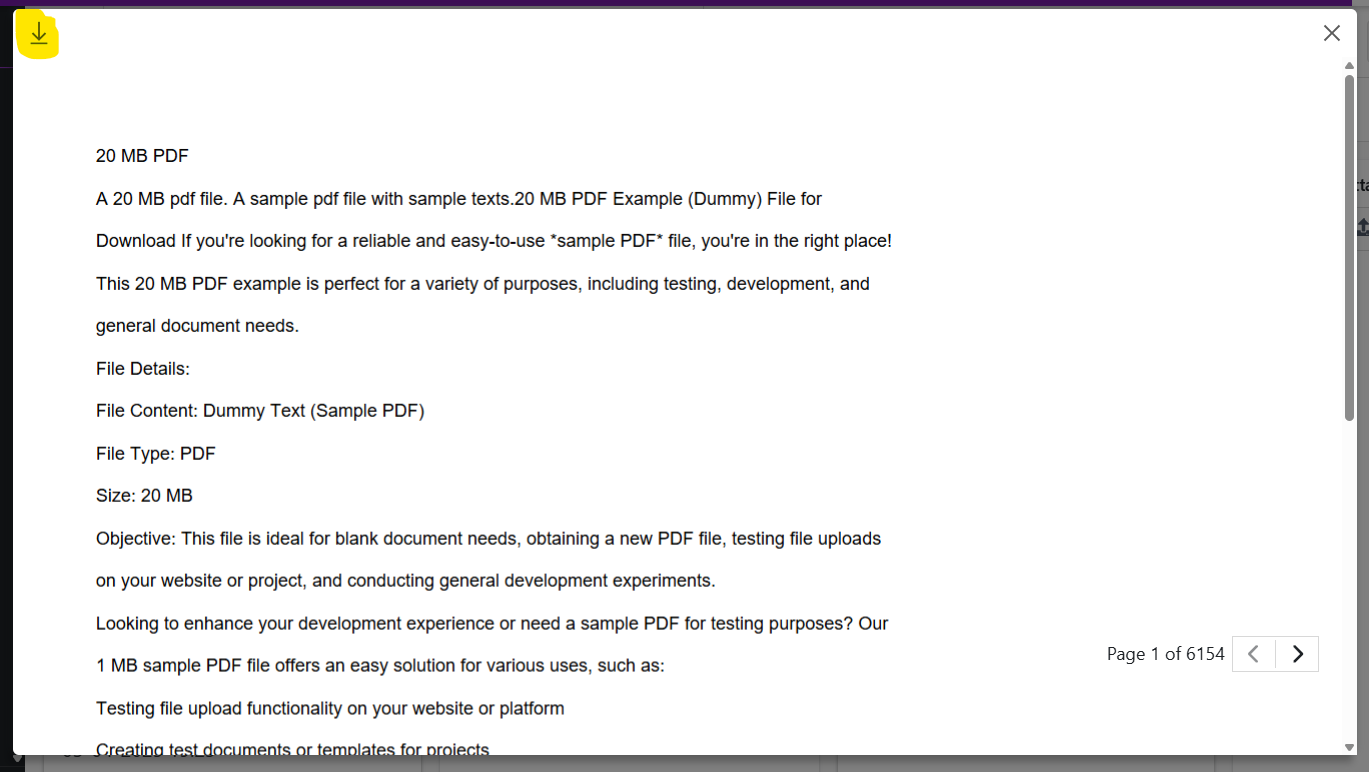
- If the file type supports preview (e.g., images, PDFs), it displays a preview modal.
- If the file type does not support preview, it directly downloads the file.
- It uses icons to represent file types and provides buttons for downloading or closing the preview.
Props
fileId: The unique identifier of the file to be downloaded.fileName: The name of the file (used for determining file type and icons).render: A render prop function to customize the UI for triggering the download or preview.onSuccess: A callback function executed after a successful download.attributeName: Optional metadata for the file.
Explanation of FileDownloader Component
The FileDownloader component is a React component designed to handle file downloads and previews. It supports downloading files directly or previewing them in a modal if the file type is supported (e.g., images, PDFs). It uses hooks and utility functions to fetch file URLs and manage the download/preview process.
Props
fileId: The unique identifier of the file to be downloaded.fileName: The name of the file (used to determine file type and display appropriate icons).render: A render prop function to customize the UI for triggering the download or preview.onSuccess: A callback function executed after a successful download.attributeName: Optional metadata for the file.
Usage Example
function Example(pageContext) {
  const { protrakComponents } = React.useContext(customWidgetContext);
  const { FileDownloader } = protrakComponents;

  return (
      <FileDownloader
        fileId="b1fc89db-5150-419c-8d13-170698853645"
        fileName= "20mb.pdf"
        render={(previewOrDownload, fileIcon) => (
          <Box
            style={{ borderRadius: '3px' }}
            onClick={previewOrDownload}
            title={"20mb.pdf"}
          >
            <Text color="SECONDARY">{"20mb.pdf"}</Text>
          </Box>
        )}
      />
  );
};
UI

After click on file name, you can see below popup to review and download file