File Types
Tenant Level Configuration of Allowed File Types
Protrak provides support for allowed file types throughout the application. Allowed file types can be added or removed by adding or removing file types from admin application. File types defined in admin application should get honor in admin and client application for uploading file.
How to add new file type
- Login to admin-app.
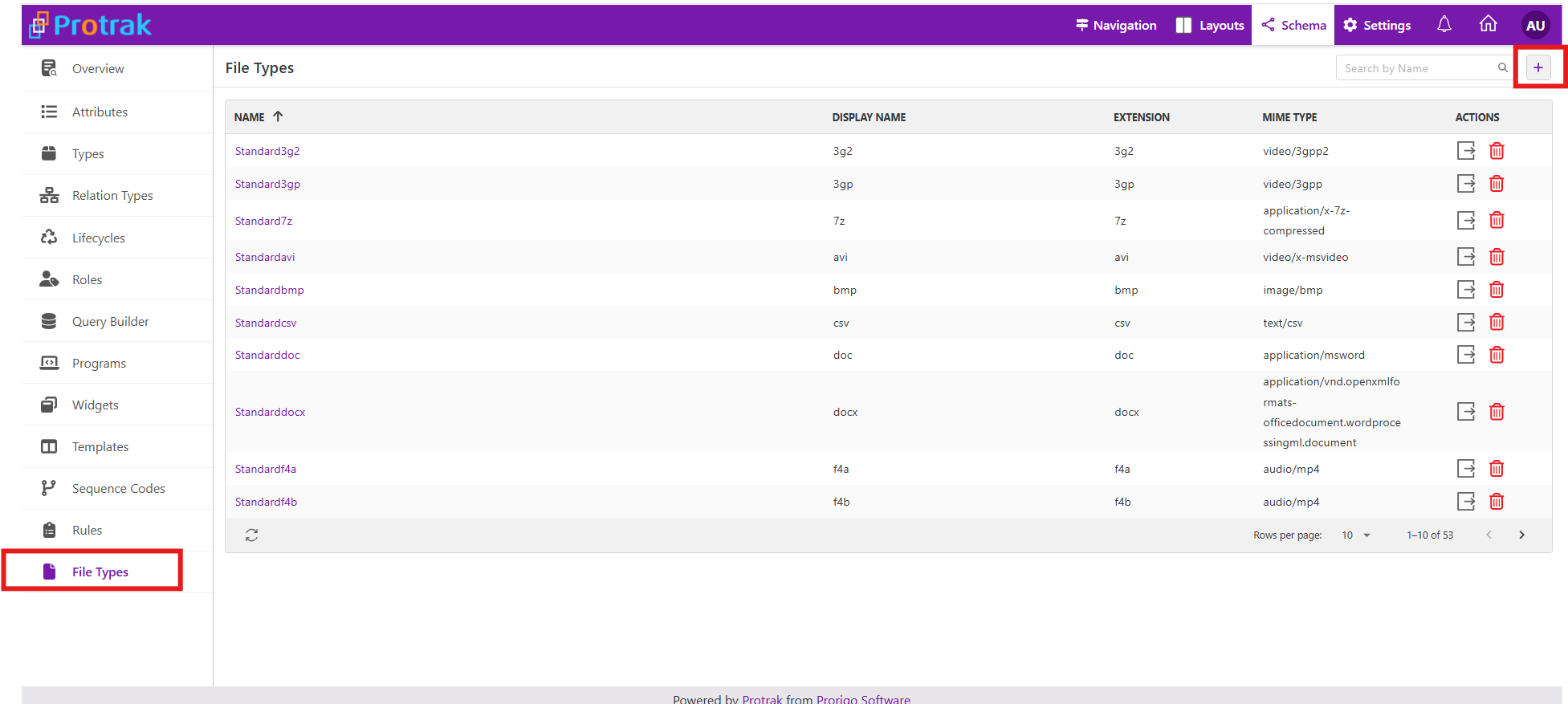
- Schema >> File Types >> Click on create file type button.
- Create File Type with required file extension.
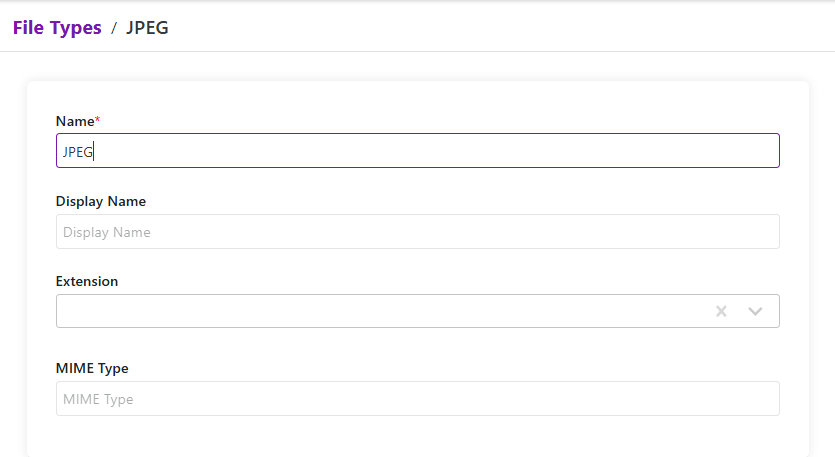 Note: Extension is required when the user adds a supported file type in attachment.
 - Click on Save.
- Newly created file type will get honored in admin app and client app.
How to allow only certain file extensions on an Attachment attribute
- Login to admin-app.
- Schema >> Attributes >> Open any attachment attribute.
- Now in the regex field, add the regex to allow only certain file extensions for the attachment attribute.
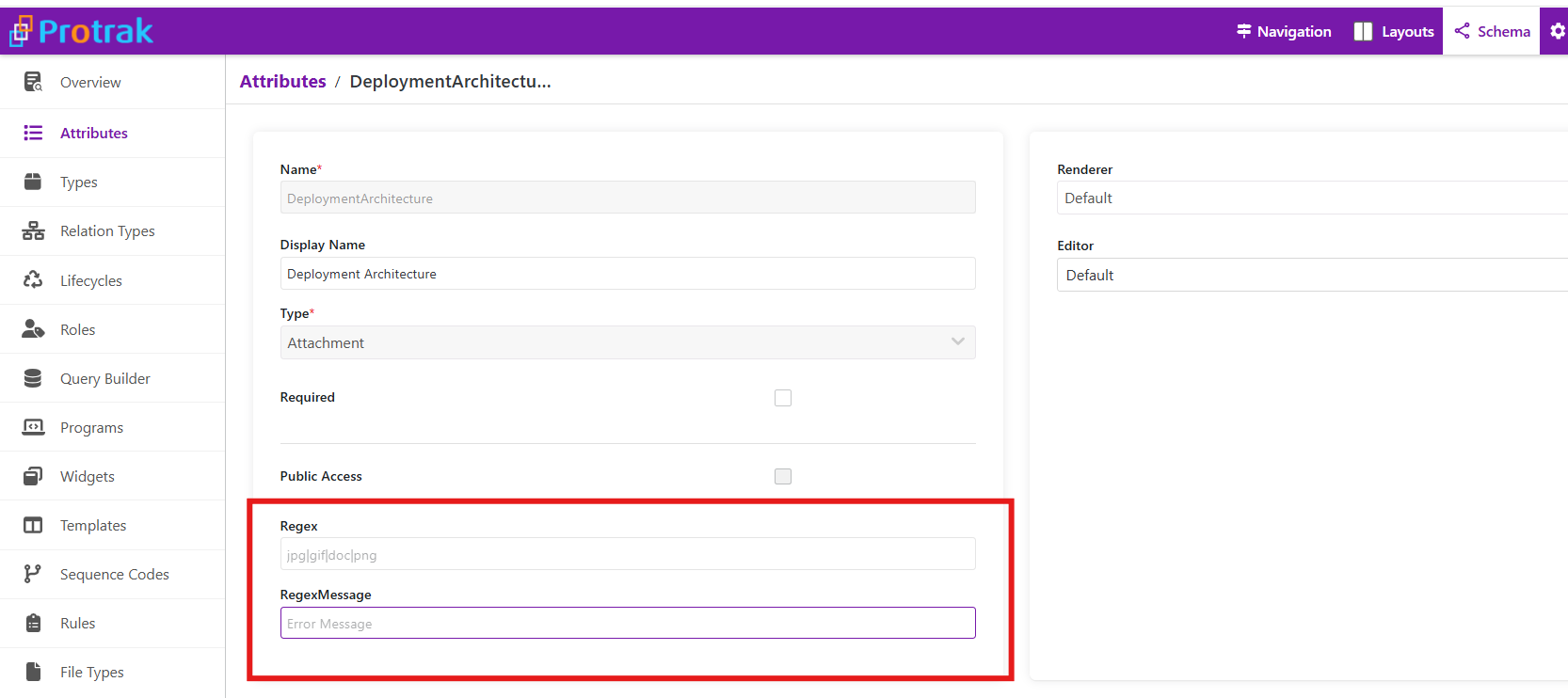 Example: Let only allow document and pdf extensions to be uploaded. The regex will be
 docx|pdf. Also, add the regex message. Refer image below.
- Save the attribute. Only the extension files mentioned will be allowed to upload in the configured attribute in web application.
File types used in different places for admin and web application are as below:
Admin application
- Attribute Attachment
- Types -Document Template and Thumbnail
- Roles bulk update users
- Users Import
- Users User Thumbnail
- Import Schema
Web application
- Attachment Attribute In Create/Edit/View Layout
- Message Widget -Message Attachment
- Attachment Widget -Attachment
- Dynamic Forms
- Dynamic Form Template
File extensions not supported by the platform for security reasons
Some file extensions not supported by the platform for security reasons are as below:
"class,wmf,xlm,vba,bxz,ceo,rtf,ac,air,apk,applescript,cgi,csh,dmg,fxp,ins,mpkg,ms,mst,pl,py,pyo,seed,sh,spr,vdo,xap,ace,asp,php,application,XLSM,ps1xml,ps2,ps2xml,psc1,psc2,msh,msh1,msh2,mshxml,msh1xml,msh2xml,xlsb,vbs,ws,sys,drv,shs,vxd,cpl,crt,isu,jsp,pcd,pkg,pyc,sct,shb,url,ps1,ocx,inf,mrc,msp,reg,scf,dll,bin,pif,hlp,cmd,jse,msc,vbe,lnk,bat,ws,chm,vb,wsc,wsh,hta,wsf,vbs,jar,scr,js,com,msi,exe"
Note: These file extensions are resricted by defualt, however this can be overridden if necessary.
Maximum file size allowed to be uploaded
The maximum file size allowed for upload is 25 MB. However, for some tenants, this limit may be increased based on the configuration. Files exceeding this limit will not be allowed to be uploaded.