Guide: Debugging Programs
Create new project in VS studio
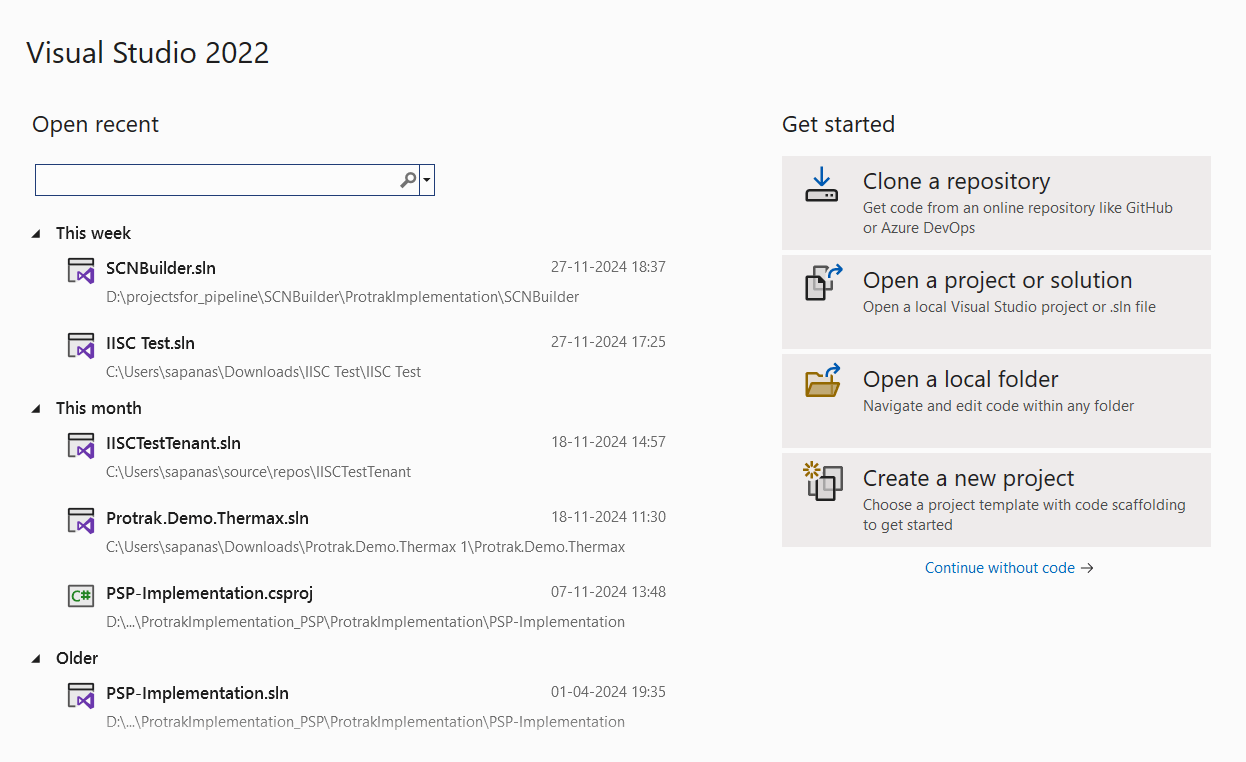
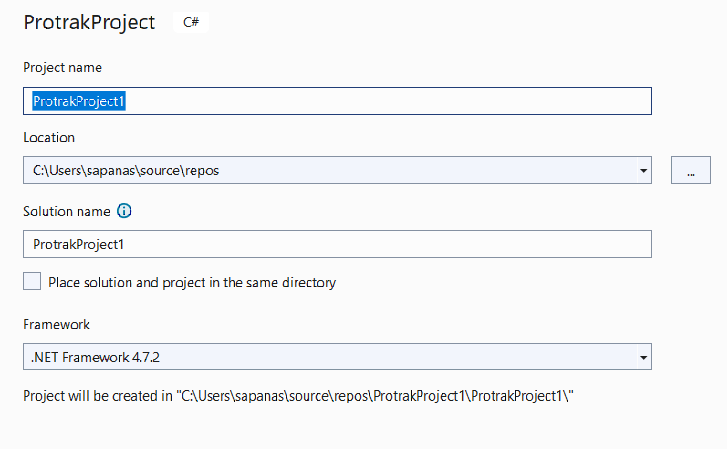
- Open VS studio, select create new project >> search protrakproject >> give name >>create.

Debugging Programs
- After creating project you will get file with name program.cs verify the url on which environment you are working on
PostTrigger debugging
All post trigger programs can be debugged using these lines.
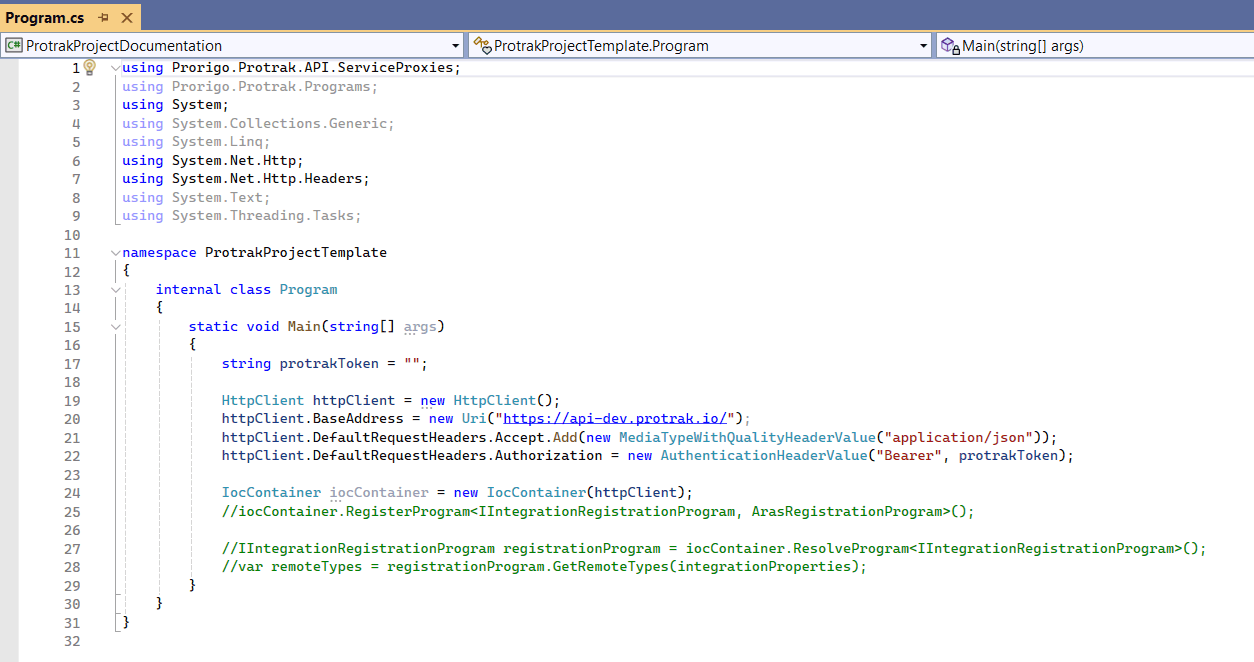 Check the access token of your instance and copy paste the access token of your instance to the program.cs
Access Token
if access token is not there here are the steps to create access token
- Login to the environment with the given credentials
- Click on the user on the top right corner
- After that click on Access Tokens
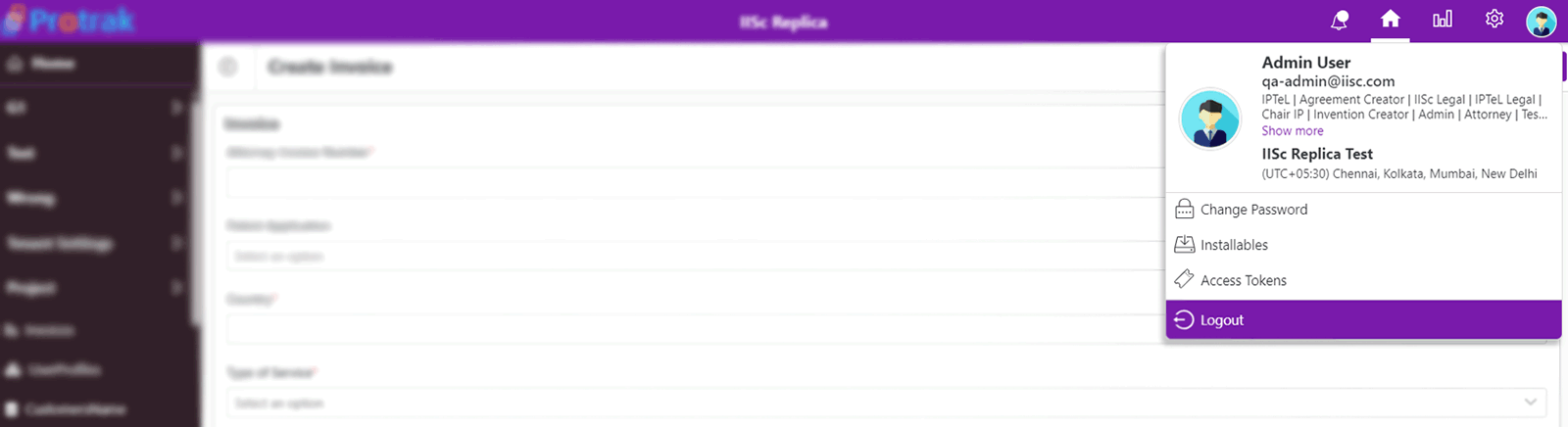
- Window will be popup in that you can see the access tokens
- To create new access token, enter client details as shown below (name and expiry date) and then click on create button

- You can see the new access token will generate as Client details named "Demo".

- Now you can copy that access token and paste to your program.cs
- After that create a new program in solution explorer click on programs ->Add-> newitem select Protrak in installation and
select trigger you want to add.
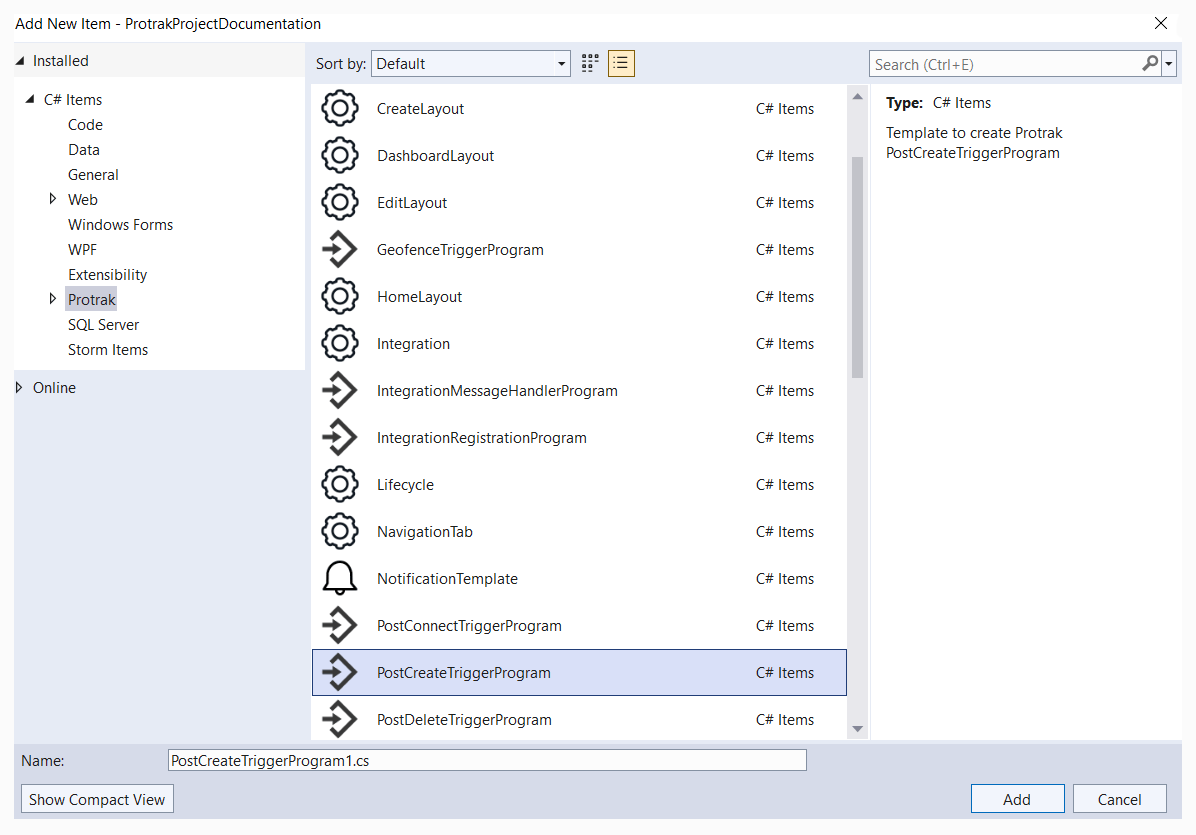
Debugging PostTigger
- To debug all PostTiggerPrograms template of program.cs is same. Replace the class name with your program class name.
After replacing class name with your program class name replace the trigger name with your program trigger name.
Pass access token in place of access token and in line no 33(below screenshot) there we need to pass instanceId we get it from environment (Protrak).
Follow point no 16.
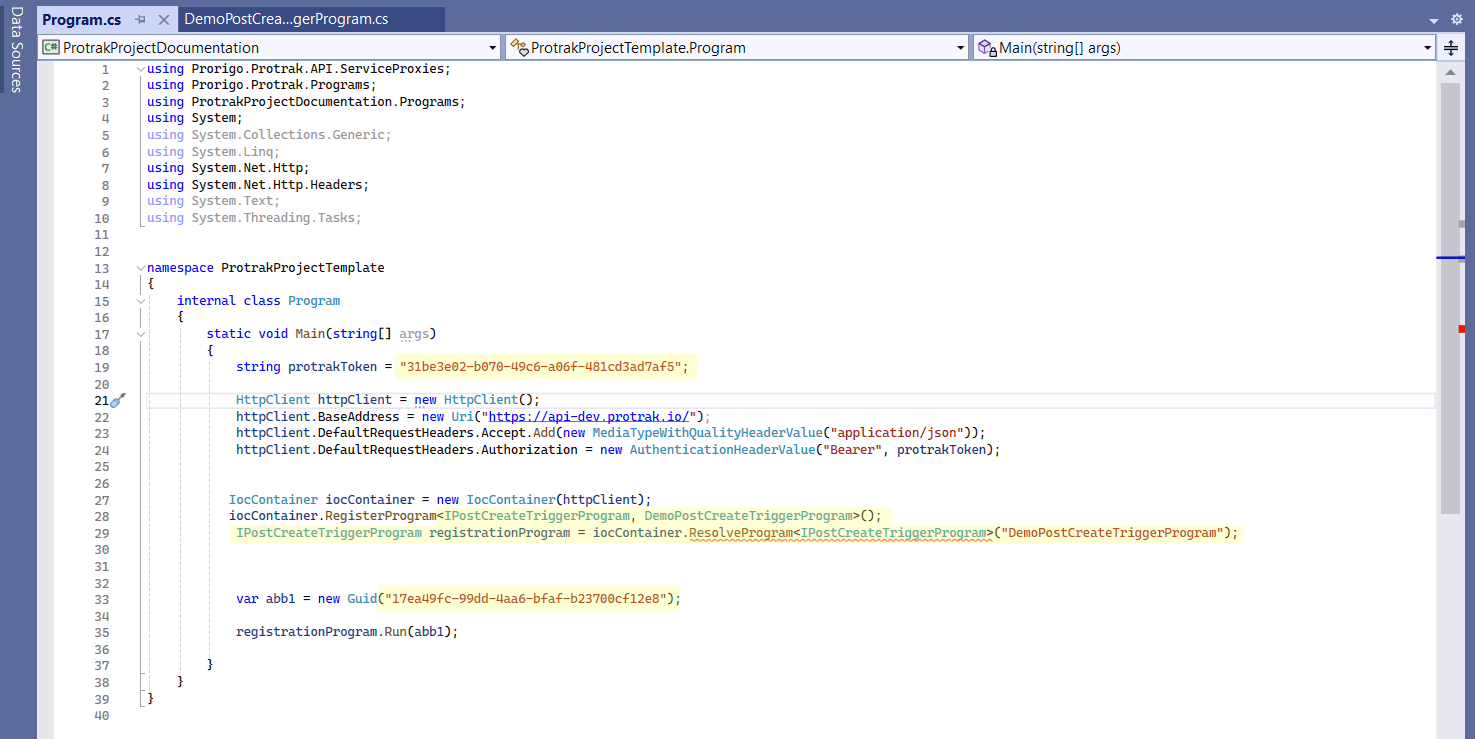
- var abb1 = new Guid("746d5ae5-dcec-4b28-97c6-b23400779a6a"); pass InstanceId.
- Pass access token.
- "NotificationSendToReporterPostCreateTriggerProgram" instead of this add program name you want to debug.
- "IPostCreateTriggerProgram" instead of this add your PostTrigger name.
- Take instanceId from URL of view layout.

Debugging PreTrigger
-
For Debugging PreTriggers we need to pass instance in program.cs
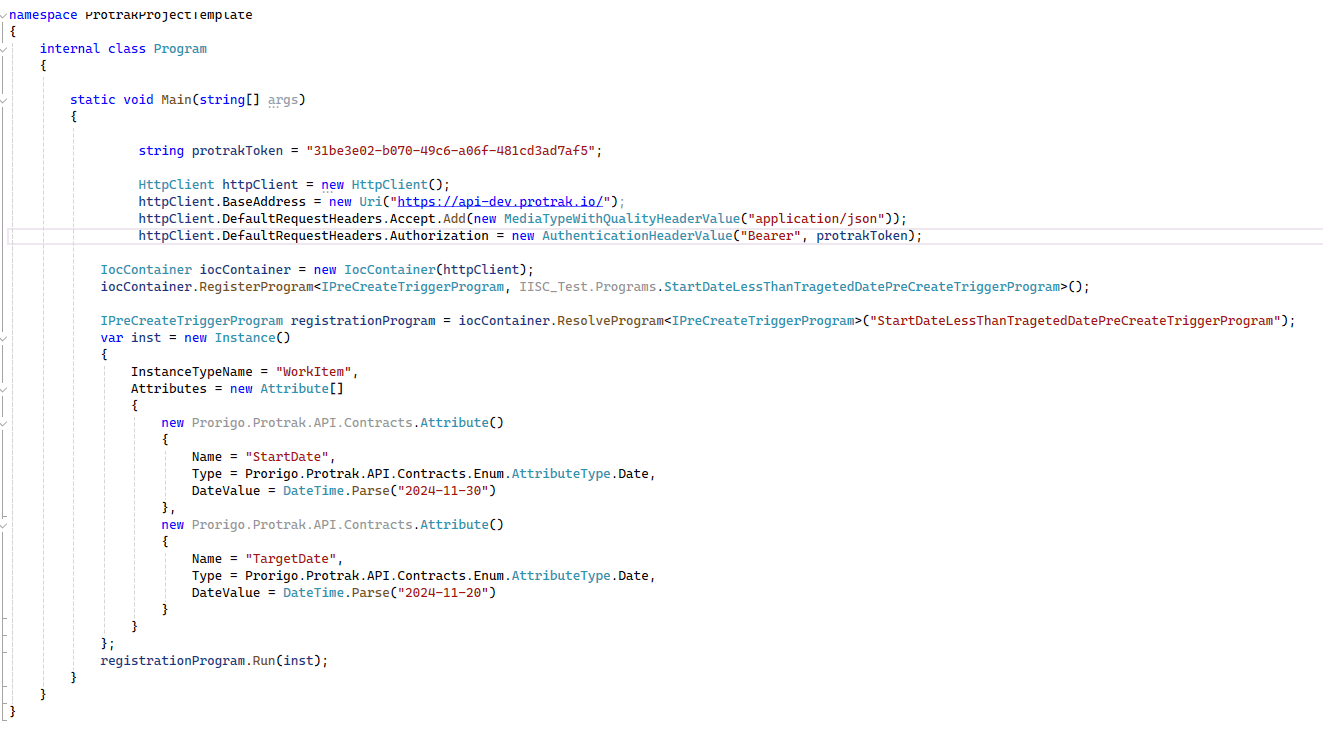
-
If we are fetching a attribute from Protrak then get its value from Protrak app ->inspect element(ctrl+shift+I) -> update form save ->in below network tab-> names-> open new instance-> select attributes-> open attribute->copy attribute value.
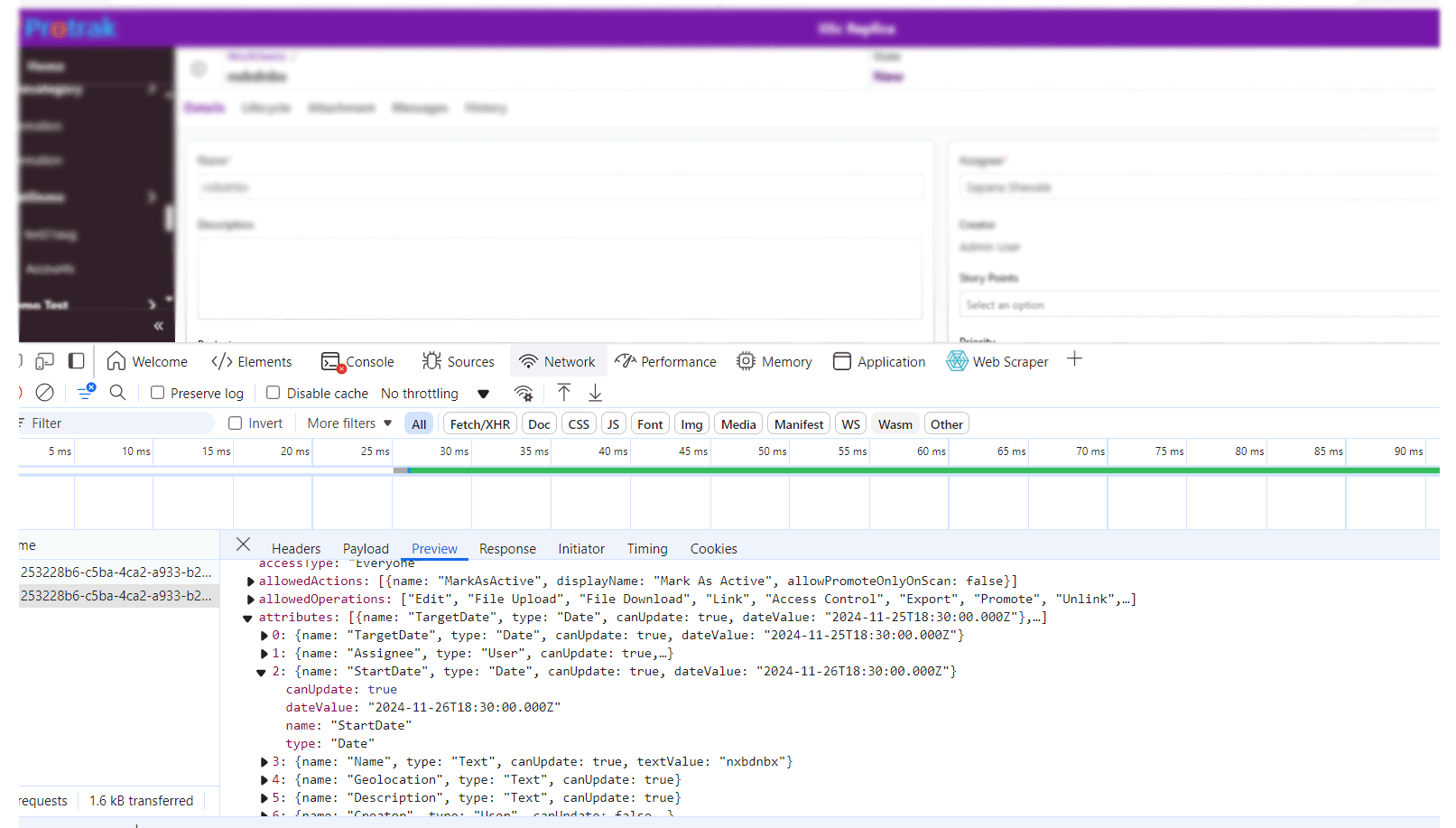
In program.cs
- Put valid access token
- "IPreCreateTriggerProgram" instead of this pass your PreTrigger name.
- "StartDateLessThanTragetedDatePreCreateTriggerProgram" instead of this pass your program name you want to debug.
- pass instance name.
- pass attributes and data value.